Important Notice
We are actively working with Google on the OAuth client verification. During this period, you will see warning messages when connecting your Google Drive account.
This guide will walk you through the connection process and help you navigate the additional security prompts that appear for unverified apps.
What You'll Need
- An active Google account
- Willingness to proceed through Google's unverified app warnings
- Understanding that this is a temporary security prompt during our app review process
Step 1: Start the Connection Process
- Navigate to the Connections page
- Click the "Add Connection" button on the top right of the page
- In the modal that appears, search for "Google Drive"
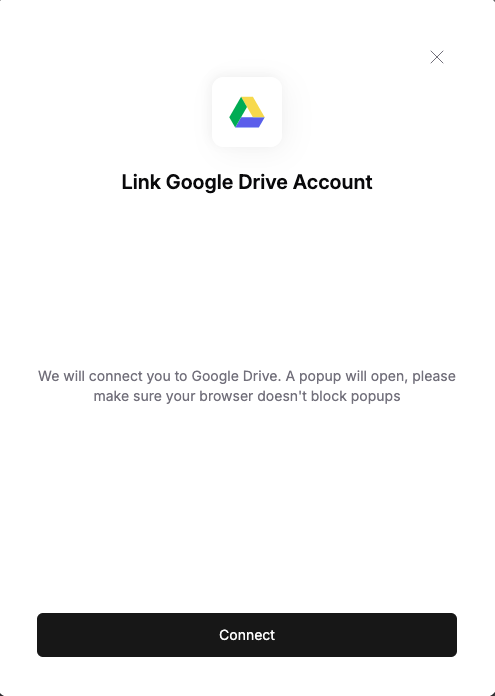
- Click the "Connect" button next to Google Drive
- A popup window will open directing you to Google's OAuth consent screen
Step 2: Navigate the Google Security Warnings
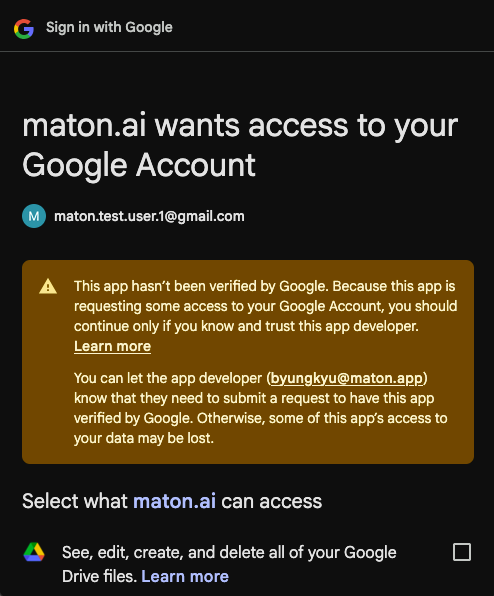
Since our app is pending Google's verification, you'll see security warnings. Here's how to safely proceed:
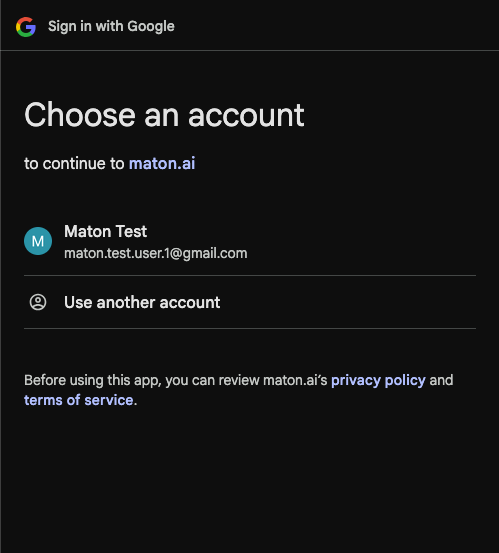
- You'll first see a screen asking you to choose your Google account. Select the Google account you want to connect.
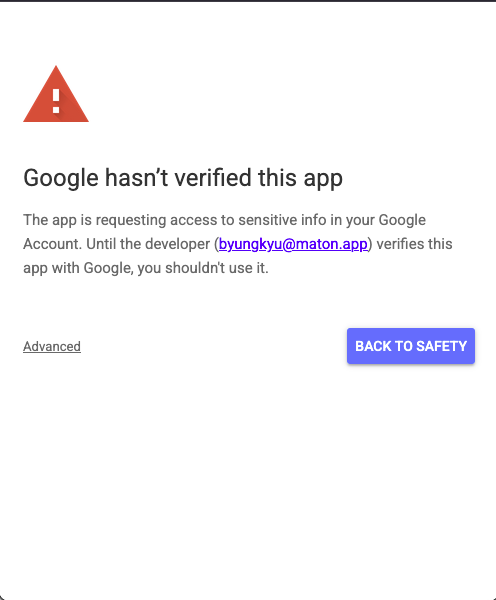
- Next, you'll see a warning screen that says "Google hasn't verified this app". This is expected - click "Advanced" at the bottom left.
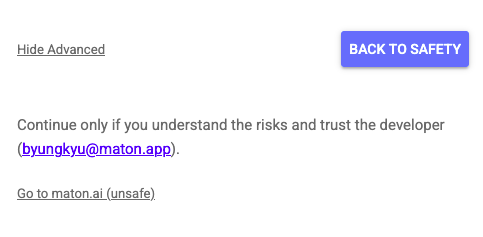
- After clicking "Advanced", you'll see additional text appear. Click on "Go to Maton (unsafe)" to continue.
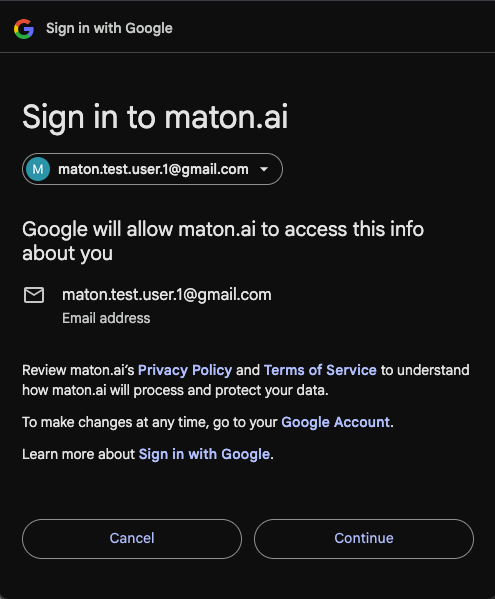
- You'll now see the screen showing that you're signing in to Maton. Click "Continue" to proceed.
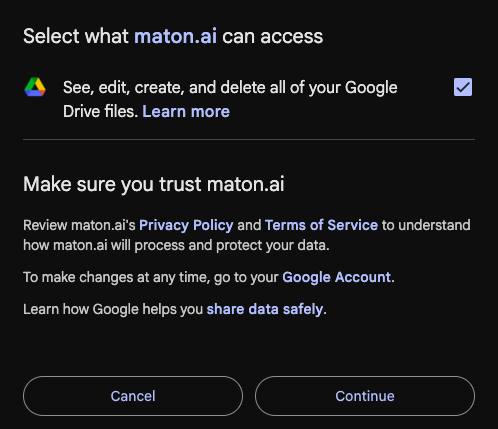
- You'll now see the permissions screen showing what access our app is requesting. Review the permissions, check off the checkboxes, and click "Continue" if you're comfortable proceeding.
Step 3: Complete the Connection
After granting permissions, the final steps are automatic:
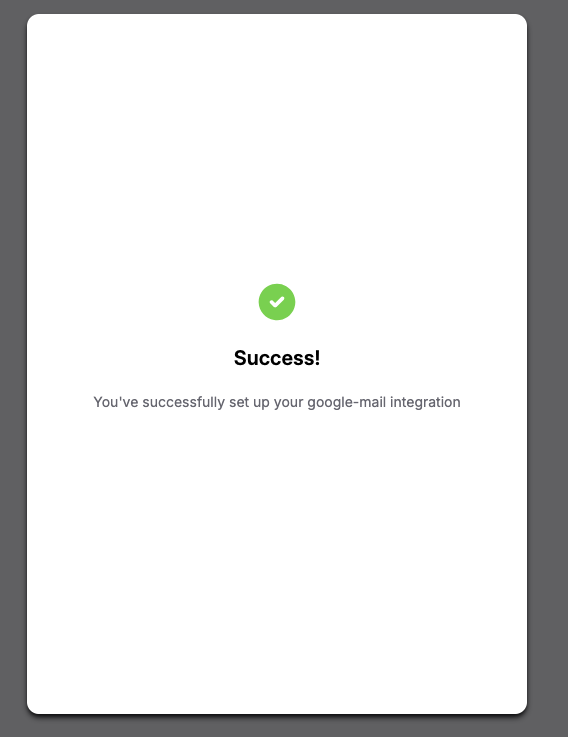
- After clicking "Continue", Google will redirect you back to our application
- The popup window will automatically close once the connection is established.
Why Do I See These Warnings?
Google requires all apps that access Google Drive data to go through a security review process. We've submitted our application for review, but this process can take several weeks. The warnings you see are temporary and will disappear once Google approves our application.
We have completed the CASA Tier 2 Security Assessment and enforce strict security measures on our user data. Your data will remain secure throughout this process. If you're still concerned, please wait until we're fully verified for Google Drive.